Juniper Networks EX-QSFP-40GE-DAC-3M Compatible 40G QSFP+ Passive Copper Cable, 3m (10ft)
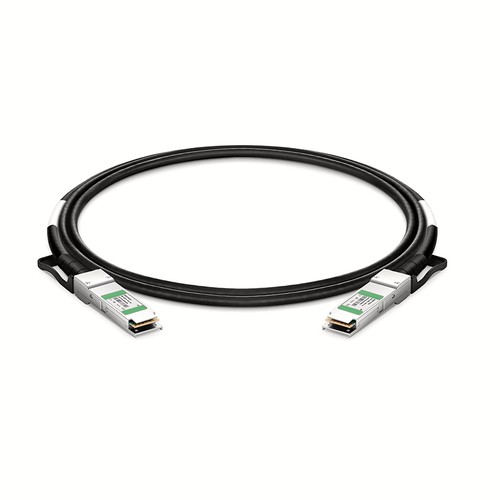
This 3m (10ft) DAC assembly is made for installations that call for Juniper Networks EX-QSFP-40GE-DAC-3M at 40G. The QSFP+ to QSFP+ connectors and cable arrive as one complete product, ready for a direct link between suitable ports. Field-handling guidance, exact specifications and pre-packing functional checks apply to the part number shown here.
OEM Part Number: EX-QSFP-40GE-DAC-3MHT Part Number: EX-QSFP-40GE-DAC-3M
Product Highlights
- Compatible alternative to Juniper Networks EX-QSFP-40GE-DAC-3M
- 40G connectivity at 40Gbps
- Interface configuration: QSFP+ to QSFP+
- Fixed length and part number: 3m (10ft), EX-QSFP-40GE-DAC-3M
- Conductor specification: 30AWG
- Minimum bend radius: 35mm
Specifications
| HT Part Number | EX-QSFP-40GE-DAC-3M |
|---|---|
| Juniper Networks Compatible | EX-QSFP-40GE-DAC-3M |
| Manufacturer | HT |
| Connector Type | QSFP+ to QSFP+ |
| Max Data Rate | 40Gbps |
| Minimum Bend Radius | 35mm |
| Wire AWG | 30AWG |
| Cable Length | 3m (9.84ft) |
| Jacket Material | PVC (OFNR) |
| Temperature | 0 to 70°C (32 to 158°F) |
| Protocols | SFF-8436, QSFP+ MSA and IEEE 802.3ba |
Juniper Deployment Reference
Juniper platform documentation distinguishes straight QSFP28 DAC or AOC connections from DACBO and AOCBO breakout operation. On channelized systems, the host port must be configured for the required breakout mode. Match this HT compatible cable to the exact Juniper part number and the intended platform configuration.
Length Selection and Installation Planning
At 3m (10ft), this assembly can bridge non-aligned ports or adjacent racks while remaining a single direct-attach link. Support longer horizontal runs with suitable cable management and preserve space for cooling and future maintenance.
Position Within the Length Range
EX-QSFP-40GE-DAC-3M occupies the middle of this family between JNP-QSFP-DAC-2M at 2m (7ft) and EX-QSFP-40GE-DAC-5M at 5m (16ft). It adds 1m over the shorter option for extra routing clearance, while the next longer version adds another 2m. Measure the managed path and choose this version when its reach is sufficient without creating the slack associated with the longer assembly.
Field Installation and Maintenance
Inspect the route and both connectors before installation, then support the cable without pulling on either connector housing. During maintenance, release the latch properly rather than using the cable as a handle. Keep protection on unused ends, and if the assembly is removed for later use, coil it loosely and record its part number so the same length can be returned to service. For this assembly, the listed conductor specification is 30AWG; the minimum bend radius is 35mm; the jacket material is PVC (OFNR).
Cable Construction and Routing
This assembly uses 30AWG conductors, PVC (OFNR) jacket, minimum bend radius 35mm. These mechanical characteristics affect how the cable should be dressed behind the equipment. Avoid sharp edges, excessive ties and repeated tight bends close to the connector boots.
Network and Protocol Considerations
The intended application is determined by the host interface and protocol support. Listed interface and protocol references include SFF-8436, QSFP+ MSA and IEEE 802.3ba. Confirm that the host firmware and port configuration support the same operating mode.
Passive Copper Operation
A passive DAC has no separate optical conversion stage. Its low-power, low-latency operation is useful for short equipment links, but the assembly must remain within the length and signaling mode accepted by both hosts.
Quality Assurance and Packaging
The cable and both connectors are inspected before a functional link test. Connector protection and bend-safe packing reduce handling damage during transport and storage. Customer or site labels can be added for field inventories, with different lengths separated to simplify issue and return of spare assemblies. Neutral packaging and customer-specific packing documentation are available on request.
Juniper Networks Compatibility and Factory Testing
A field-ready cable needs both correct identification and a stable operating link. Our pre-packing check therefore includes the connectors, host recognition and link behavior. For equipment with uncertain revision history, providing the host model and software release helps identify compatibility requirements before the assembly reaches the installation site. The check includes link stability and diagnostic indications, followed by a final inspection of both ends.
Frequently Asked Questions
Is this an original Juniper Networks cable?
No. It is an HT-manufactured compatible alternative for equipment that specifies Juniper Networks EX-QSFP-40GE-DAC-3M.
What details assist a compatibility review?
Provide the equipment manufacturer, model, port type, hardware revision and software release, together with the OEM reference, required length and quantity.
How should an unused assembly be stored?
Protect both connector ends, keep the cable in a loose bend-safe coil and retain its part-number label so the length and compatibility identity remain traceable.
Can different brands be connected with the same assembly?
Only where both hosts explicitly support the complete interface and compatibility arrangement. Document each end and select the appropriate brand-specific product when required.
Ordering Information
Request the cable by its exact part number and length, and state the equipment model if compatibility confirmation is needed. Site orders can list quantities by rack or installation team. Any requested label should retain the part number so a removed or spare cable can still be identified accurately. Keep EX-QSFP-40GE-DAC-3M associated with 3m (10ft) throughout the order and receiving record.
Shipping and Lead Time
Available stock is generally dispatched within one to three working days after order confirmation, with production lead times advised for larger quantities. Delivery can be arranged by courier, air freight or sea freight, and goods may instead be handed to an appointed forwarder or shipped on the customer’s courier account.


